Sure a resume needs to be concise, include all relevant skills and experience, and paint a full picture of who you are as an employee. It goes without saying that it should be error free and organized, with a clean layout. But, if you want to ensure your resume is competitive and engaging in today’s job market, it must include two critical aspects: PAR statements and keyword optimization.
We’ve discussed the importance of keyword optimization and PAR statements in previous blogs, but a resume needs BOTH to be successful. Many job seekers are so focused on one aspect that they miss the other and don’t get traction in their job search.
- PAR Statements
PARs are Problem-Action-Result statements that explain the specific problems you faced in a past job, the actions taken to overcome and solve those problems, and the achievements that came as a result of the action you took. Think of your PARs as the stories of the challenges you faced on the job and the steps you took to overcome those challenges to benefit not only yourself, but your company as a whole.
PAR statements are crucial because they define your unique approach to the job and engage a hiring manager or recruiter. PARs help your future employer see how you would perform on the job and also how you would fit into the culture of the organization. Because they focus more on soft skills such as leadership and problem resolution, PARs are often overlooked. But, they help the hiring manager align you with the specific needs of their organization to see if and how you would be the right fit.
It’s easy to get so hung up on making sure you’re talking about your experience and achievements that you aren’t thinking about how a recruiter comes across your resume. That’s where keywords come in.
2. Keyword Optimization
According to Mashable, “72% of resumes are never seen by human eyes.” That is because many companies (90% of all Fortune 500 companies) use an Applicant Tracking System (ATS) to screen resumes that are submitted. Essentially, once you submit your resume, it is scanned and stored in a database. Recruiters then search the database to find resumes for a particular job opening by entering in relevant keywords. If your resume has those keywords, it will be picked up by the system. The more matching keywords your resume has, the more likely it is to be seen by the hiring manager.
Because most companies use some sort of ATS, keyword optimization is more important than ever. To ensure your resume passes through an ATS to get seen by a recruiter, follow these keyword optimization tips:
- Use the job posting and description to find keywords the ATS is looking for. Then be sure to sprinkle those words throughout your resume
- Make sure all information in your resume is relevant to the position you are currently applying for
- Keep things concise
- Be sure to list all of your relevant skills, as many hiring managers use an ATS to search for specific skills they are looking for
- Read over your resume carefully for spelling mistakes
- Include your contact information at the top of your resume (for the ATS to pick up)
Still not sure your resume is ATS ready? Check out our tips for preparing your resume for applicant tracking systems.
If you’re still struggling with PAR statements and keyword optimization and need some help getting your resume job search ready, contact Capstone Resume Services today!
]]>
The average hiring manager looks at a resume for a mere 6 seconds. At least that’s what studies have shown. That means you have 6 seconds to make an impression. 6 seconds to ensure they see everything they need to see to move you to the next round of the selection process.
That’s where keywords and the tag cloud come in! Keywords are crucial because they make the resume easily scannable and highlight your main skills. They also are picked up by resume scanning software, also known as applicant tracking systems (ATS).
The importance of optimizing your resume for resume scanning software cannot be understated, especially given the current remote job trend that takes applications from all over the country and the world. Here are just a few more reasons why:
- 99% of the Fortune 500, 70% of larger companies, and 20% of small businesses use ATS to filter resumes. (Recruitee)
- 75% of recruiters use a recruiting or Applicant Tracking System. (Recruitee)
- 75% of resumes are not seen by recruiters, as they are weeded out by the tracking system. (CNBC)
So, all of your main keywords should be easy to find with a very quick read of your resume. But how do you ensure you got the right keywords and that they are working for you? Tag clouding can help you discover which keywords summarize your resume and how to optimize the right keywords for better leverage.
What is a Tag Cloud?
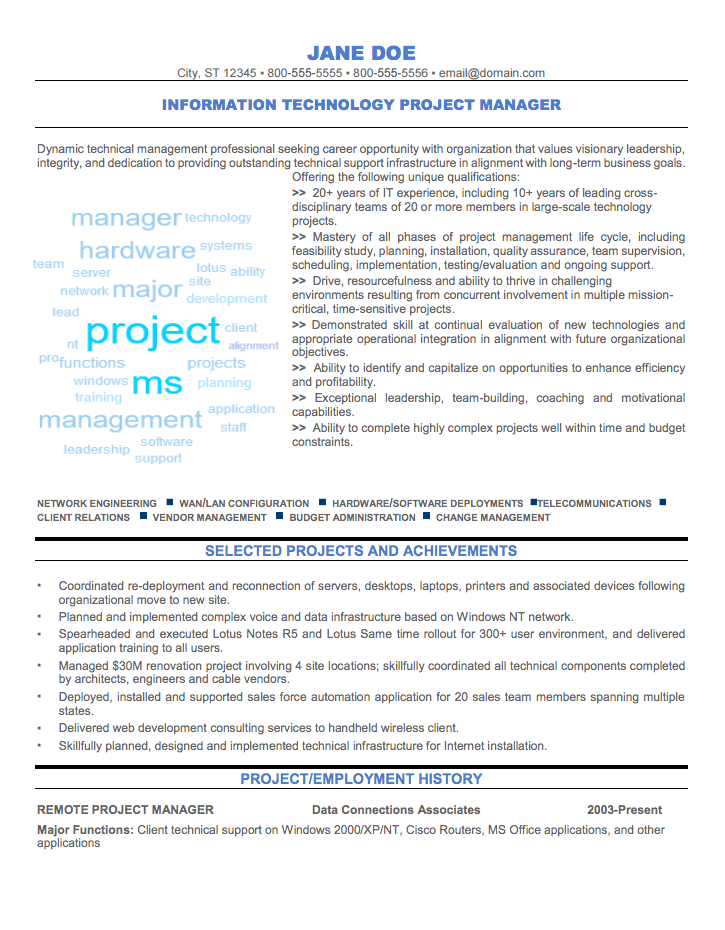
A tag cloud shows words in the document by frequency, highlighting the most frequent words with bigger and bolder fonts. Words that are used less show up as lighter and in smaller fonts. TagCrowd is a free and simple online tool that allows you to create a tag cloud for your resume.
If you want to see what words are most often used in your resume and which ones stand out, simply go to TagCrowd and paste your resume into the text box (or upload it). You can then select the maximum number of words you want to show and the minimum frequency.
It also lets you choose if you want to show the word count next to each word (how many times that word shows up) and if you’d like to group similar words together. You can also type in certain irrelevant words you don’t want it to analyze. Once you hit the “Visualize!” button, you will see your resume’s frequently used words. The word that is used most frequently will show up as the largest.
This will allow you to see what a recruiter will see when they look at your resume and show you what keywords the recruiter will associate with you. It will also help you identify what key information or words may be missing so that you can paint a complete picture of the type of employee you are and the value you’ll bring to a company.
Are Tag Clouds Useful for Resume Writing?
Tag clouding can also help you see what you need to change in your resume. It’s important to be concise in a resume, and too much repetition could have a negative effect. With tag clouding, you can see which words you overuse and where you could change things up.
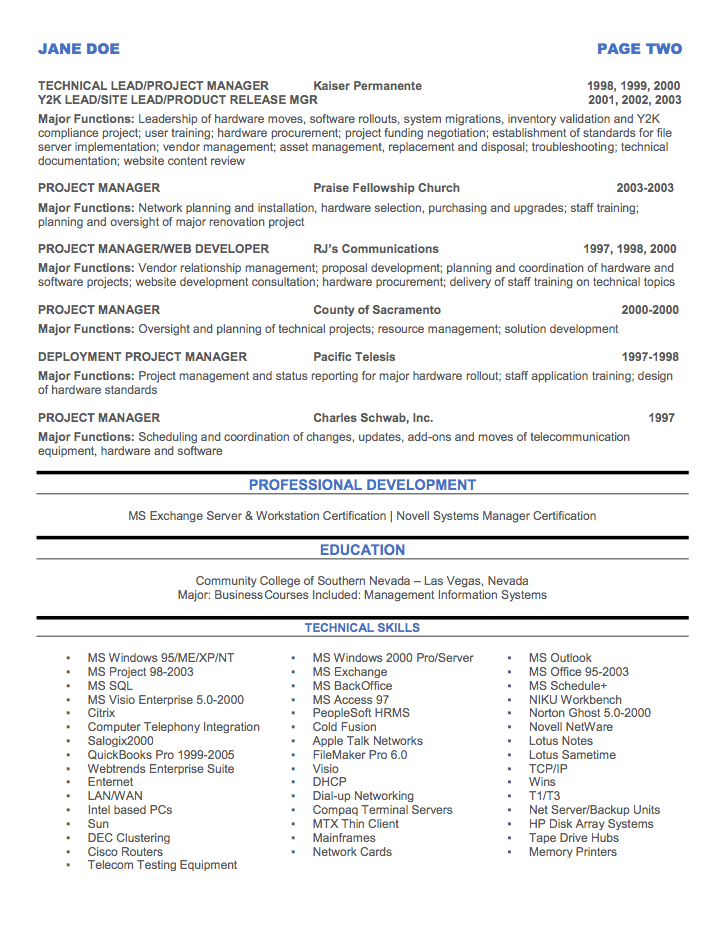
For an example of how tag clouding can be applied to your own resume, we’ve included a sample tag cloud for an IT Project Manager resume below.
It’s not just about what recruiters see. It’s also about what search engines and resume scanning programs will pick up. For more information on keywords and how to use them, check out our blog on how to get your resume noticed with keyword optimization and our tips for preparing your resume for applicant tracking systems.
And here are a few more helpful tips in how to use ATS algorithms to your advantage:
- Use acronyms alongside their long-tailed keywords, since the algorithm may be set to screen for them.
- Try not to place important information in the headers or footers, since the software may not be able to scan that information properly.
- MS Word docx and Pdf are the most compatible file format versions when it comes to applicant screening software.
- Stay away from using blocks, tables, photos, graphics, and graphs, especially if you are embedding vital information within them; ATS may not be able to read any of this information.
- Make sure your formatting and layout are easy to scan both for bots and for recruiters; if you include too many long blocks of text, it would be hard to understand the gist of your professional experience within 6 seconds.
How to Choose the Right Keywords for Your Resume
Now that you know about the importance of keywords and how to use tag clouds to identify your most frequent resume words, it is time to actively choose the keywords you’d like to associate your resume with the most.
The following strategy can help you be proactive and customize a few versions of your resume which you should have on hand if you desire to apply to slightly different job roles that require additional or different skill-set.
- Research your top 5 ideal job listings and write down the most relevant keywords the hiring managers specify in the responsibilities and qualifications sections.
- Once you have a comprehensive list from your top job listings, look for the keywords you pooled together and note the keywords that were mentioned the most frequently among them all.
- Choose the 5-10 most highlighted keywords and include them in your resume so they flow and showcase your strengths; the most essential keyword should be part of your resume headline or should be mentioned more than once in your resume.
And voila, your resume is now keyword optimized! To finalize your resume preparation, use tag clouds to check which keywords would most stand out to recruiters and applicant tracking systems.
Ultimately, spending time to perfect and aesthetically beautify your resume may be in vain if your resume is not even seen by the people that have the power to get you the job. Therefore, having the right keywords on your resume should be one of the most important resume strategies in your job search repertoire.
Now that you know which strong technical keywords to use to stand out, make sure that you also remove certain weak words that can dilute your value proposition. Read all about the top words that you should remove from your resume asap!
A Few More Resume and Cover Letter Tips
Having an optimized resume is just one important step in the job winning process! Once you are aware of the keywords that recruiters prioritize, also make sure that your cover letter matches the tone and keywords that you highlight in your resume.
If recruiters like your resume, they will also read your cover letter to get a better idea of who you are and what you’re looking for in your next opportunity. This is also a great time to highlight the main keywords from the job description and showcase how you are skilled and qualified within their context.
Whereas the resume is an overview of your skills, the cover letter should be an opportunity to humanize yourself and your professional journey, as well as to highlight why you are a cultural fit with the company team. Be professional but also let your authenticity and voice shine through. Don’t forget to use storytelling to your advantage to make your application truly memorable.
And if you’d like a free resume consultation to help you navigate the job search process with empowerment and confidence, Capstone was voted as one of the most personalized and caring resume service companies in the industry to help you win the job of your dreams.
Contact us today!
]]>